What is FairlySoon?#
FairlySoon is a free sailing-weather web app that runs in your browser—there is nothing to install. It helps you answer a simple question: when should I leave?
Choose where you want to sail from and to. FairlySoon compares possible departures, estimates the passage using your boat’s performance, and ranks the windows by the conditions you are likely to encounter. You can also explore the forecast map on its own.
You do not need to set up a boat profile before trying it.
Find your first sailing window#
- Open FairlySoon. Start planning straight away. No invitation or account is needed.
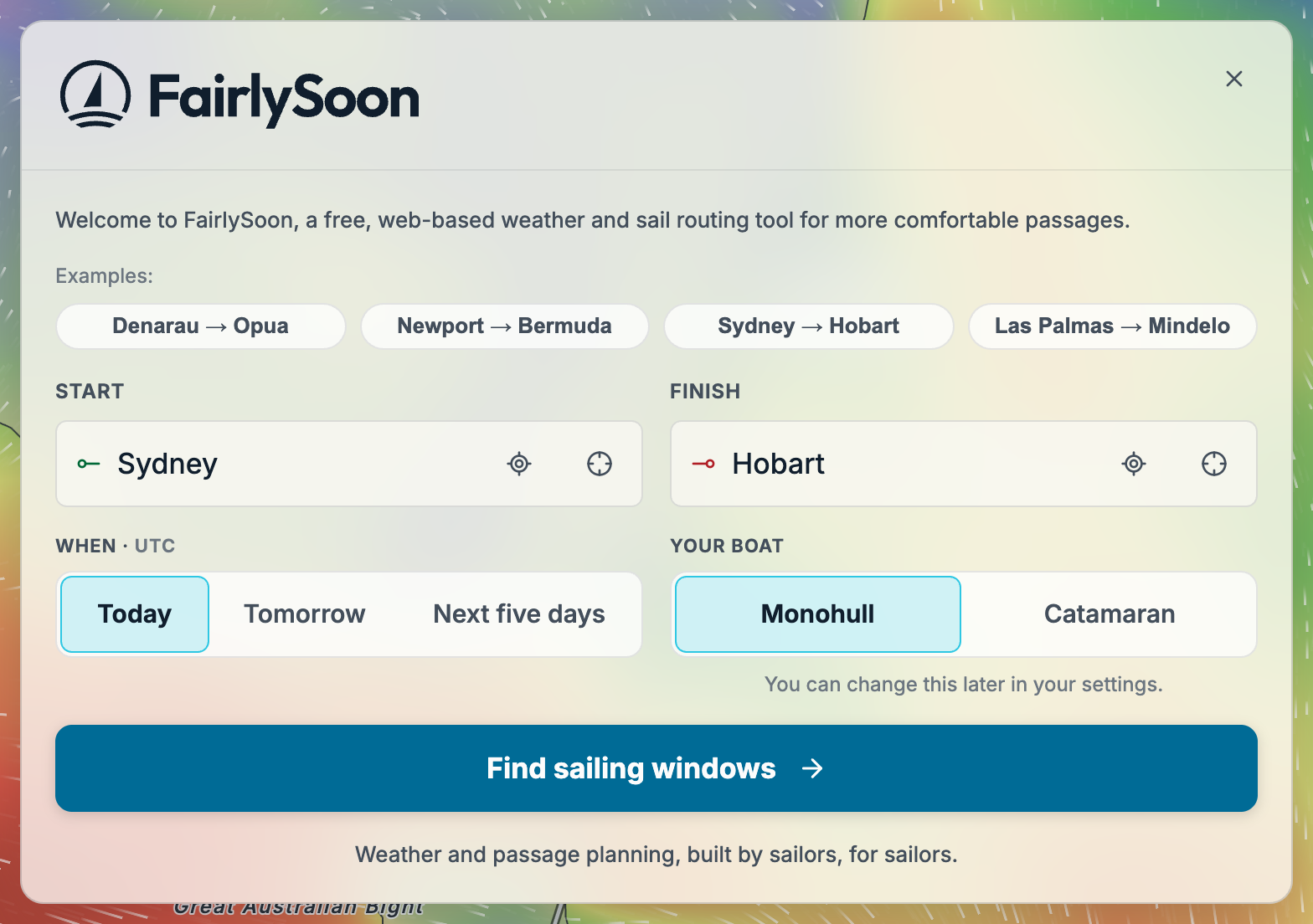
- Choose a start and finish. Search for two coastal places. If you have not created any routes yet, you can also pick an example passage on the initial welcome screen to see how it works.
- Keep the defaults and select Find sailing windows. The default cruising monohull and departure range give you a starting point. The first calculation may take a little longer while forecast data loads.
Compare your sailing windows#
After you select Find sailing windows, departure options appear beside the map as they are calculated. Each row is a possible time to leave, with an estimated passage duration, comfort score and a short description of the conditions. The map shows the calculated routes between your start and finish.
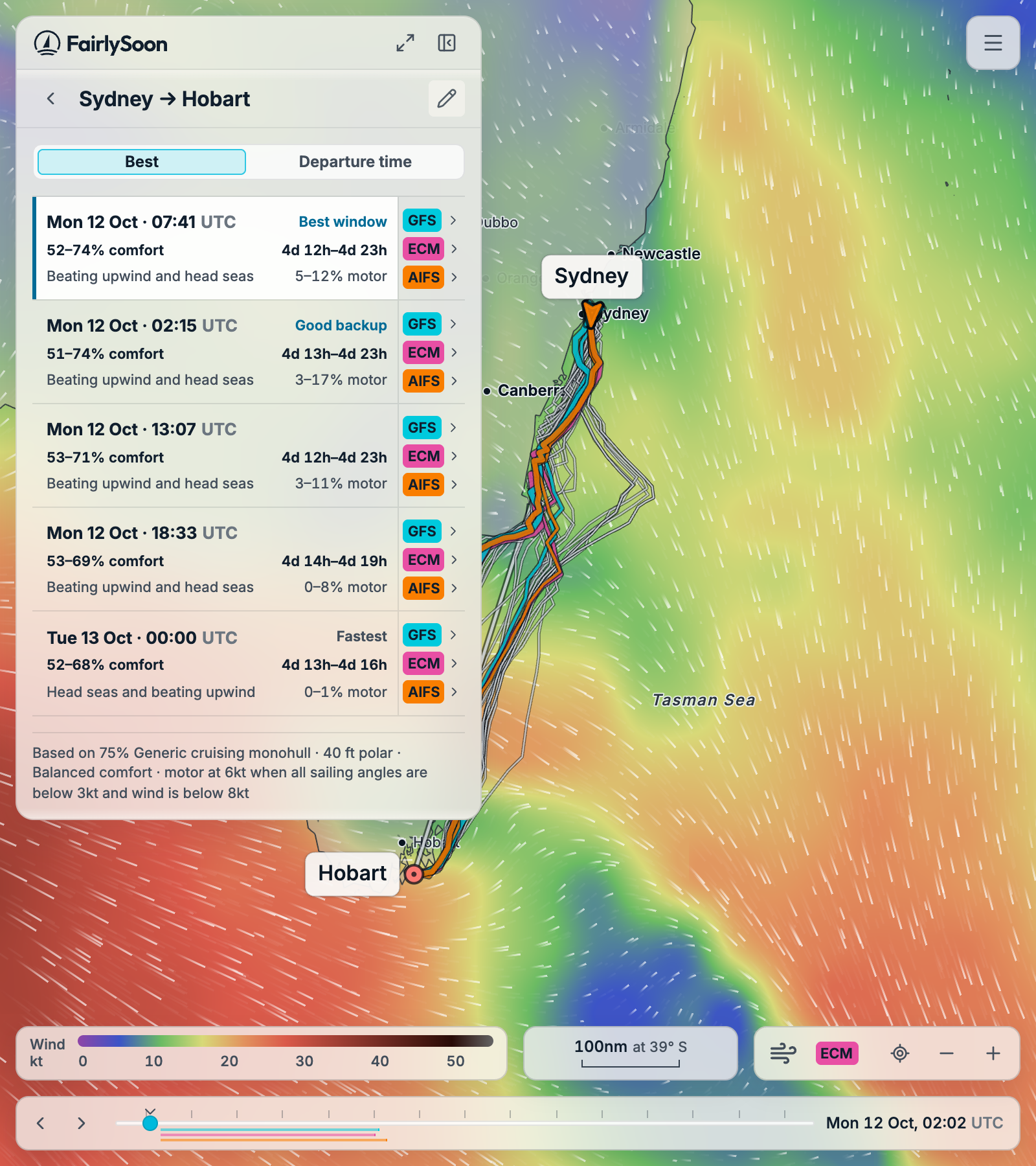
Start with Best window and Good backup, when those labels are available. These highlight promising choices among the departures calculated for your boat and settings. In this example, the best window is a Monday morning departure; the backup leaves a little earlier. Your dates and results will depend on the forecast when you calculate.
- Comfort helps you compare how the passages may feel: higher scores mean more comfortable conditions under your settings. A percentage range shows how much the calculated alternatives differ.
- Passage duration estimates how long you will be at sea. For example, 4d 12h–5d means between four and a half and five days.
- The short description points out conditions to look at more closely, such as beating upwind or head seas. The motor percentage estimates how much of the passage you may spend motoring.
Select a departure to highlight its routes on the map. Use Departure time above the list if you would rather browse the options in time order. All times use your device’s timezone; these example screenshots were captured in UTC.
Take a closer look#
Select one of the model buttons beside a departure, such as GFS, ECM or AIFS, to open its details. These are different weather forecasts for the same passage. From the departure’s conditions, open Route analysis to see the journey in more detail.
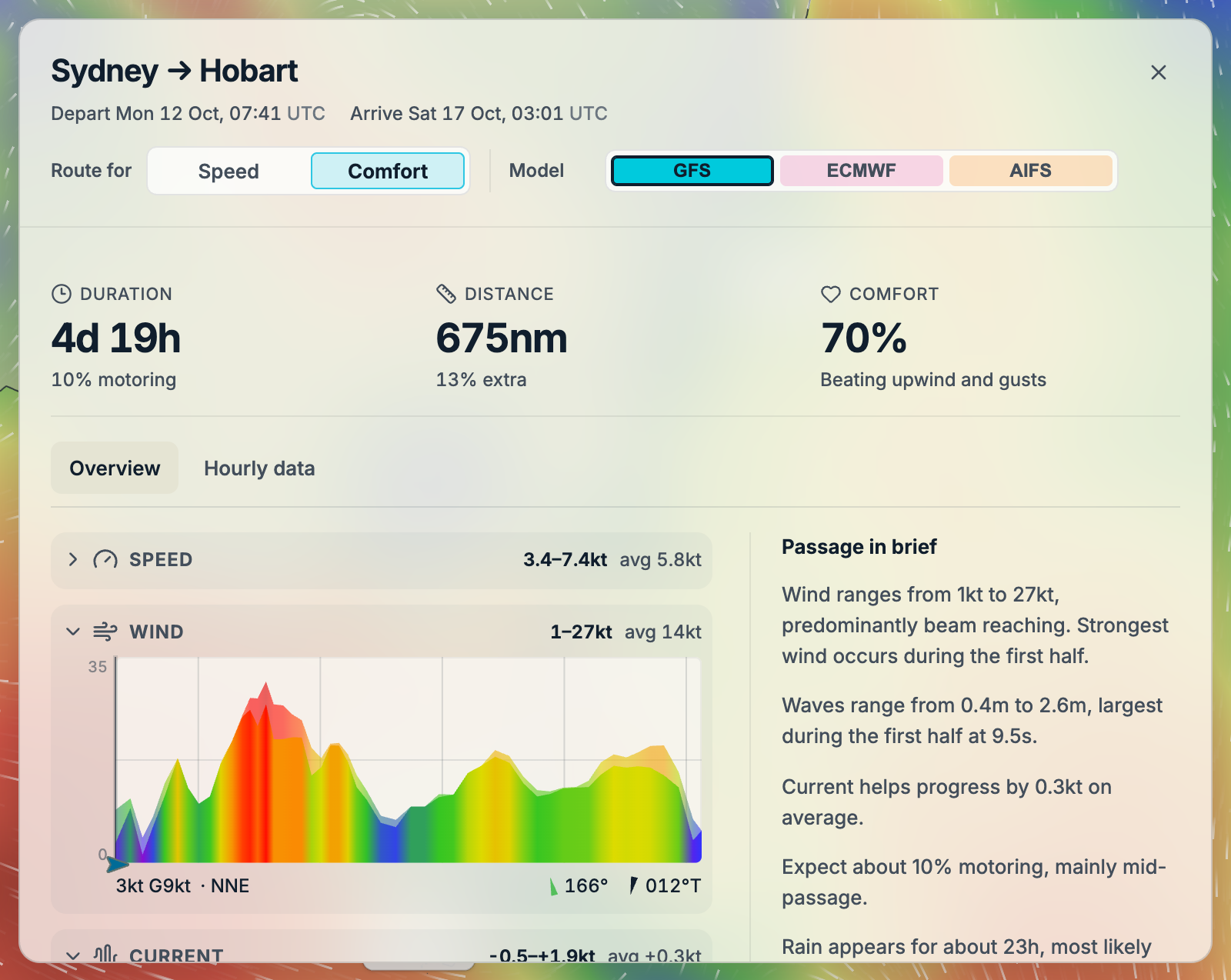
At the top, you will find the estimated arrival time, passage duration, distance and comfort score for the selected route. Passage in brief describes what to expect along the way. The charts show how conditions change as the boat travels, helping you spot where the wind strengthens or the seas build.
You can switch models to see how their predictions differ, or compare routes planned for Comfort and Speed. There is no need to explore every chart on your first visit: start with a departure that suits you, read its summary, then compare it with the backup. For more detail, see Reading your results.
When you are ready to personalise the result, open the map's three-line menu and choose Settings → Planning. Review your comfort preference, motoring and boat there, then find sailing windows again. The boat and comfort guide walks through those choices. For light or dark mode, weather colours and measurement units, see Settings and appearance.
Before turning a promising window into a sailing plan, check official forecasts, charts and local conditions, and read Safety and limitations. FairlySoon helps you compare options; a ranking is not a safety assessment.
Keep FairlySoon handy#
Add FairlySoon to your Home Screen or desktop to open it directly in its own window. On iPhone or iPad, use Safari’s Share → Add to Home Screen, keep Open as Web App switched on, then tap Add. See Add FairlySoon to your device for the illustrated steps and desktop options.
Where to go next#
- User guide — Refine a passage, personalise your boat, read results, explore forecasts and manage saved data.
- Frequently asked questions — Questions about the project beyond the how-to guides.
- About FairlySoon — Who builds the project, contact details, credits and policies.