Create a passage#
- Set the start and finish. Search for a coastal place, enter coordinates, choose a saved point or use the map-pick control. Check the chosen positions: a place name identifies an area, not necessarily a safe departure or arrival berth.
- Choose a departure time or range. Use a range to compare options or an exact time to inspect one departure. Available results are limited by forecast coverage.
- Select Find sailing windows. The browser prepares the required forecast data and calculates candidate passages. The first calculation can take longer while data loads.
- Review the results. Select a departure to inspect the proposed route, estimated duration and passage conditions. Change the assumptions and calculate again when necessary.
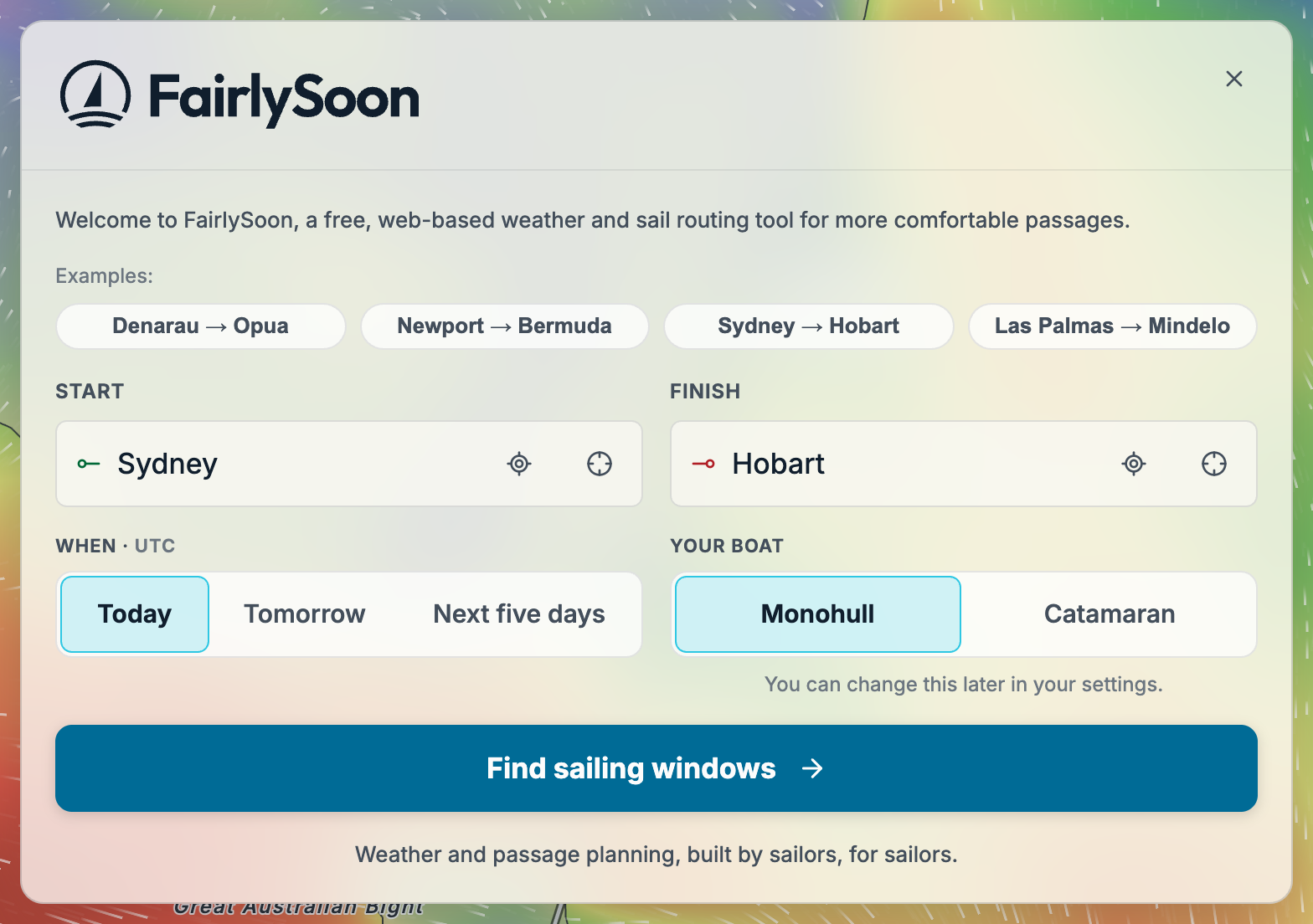
The initial welcome screen below shows a Sydney–Hobart passage ready to calculate, with Today selected and a Monohull boat profile. Set your own Start, Finish and When, then select Find sailing windows.
Choose a departure window#
FairlySoon samples departures rather than testing every possible time:
- Today, Tomorrow and Between compare five evenly spaced times, including the start and end of the range.
- Next five days checks one departure at noon each day, starting with the next noon in your device’s timezone.
- Exactly checks only the time you specify.
Times between those samples are not evaluated. To explore a promising part of the window more closely, choose a narrower Between range and select Find sailing windows again.
Next: Reading your results explains rankings, passage estimates and the timezone used for displayed times.